01 / 06
Process Atlas
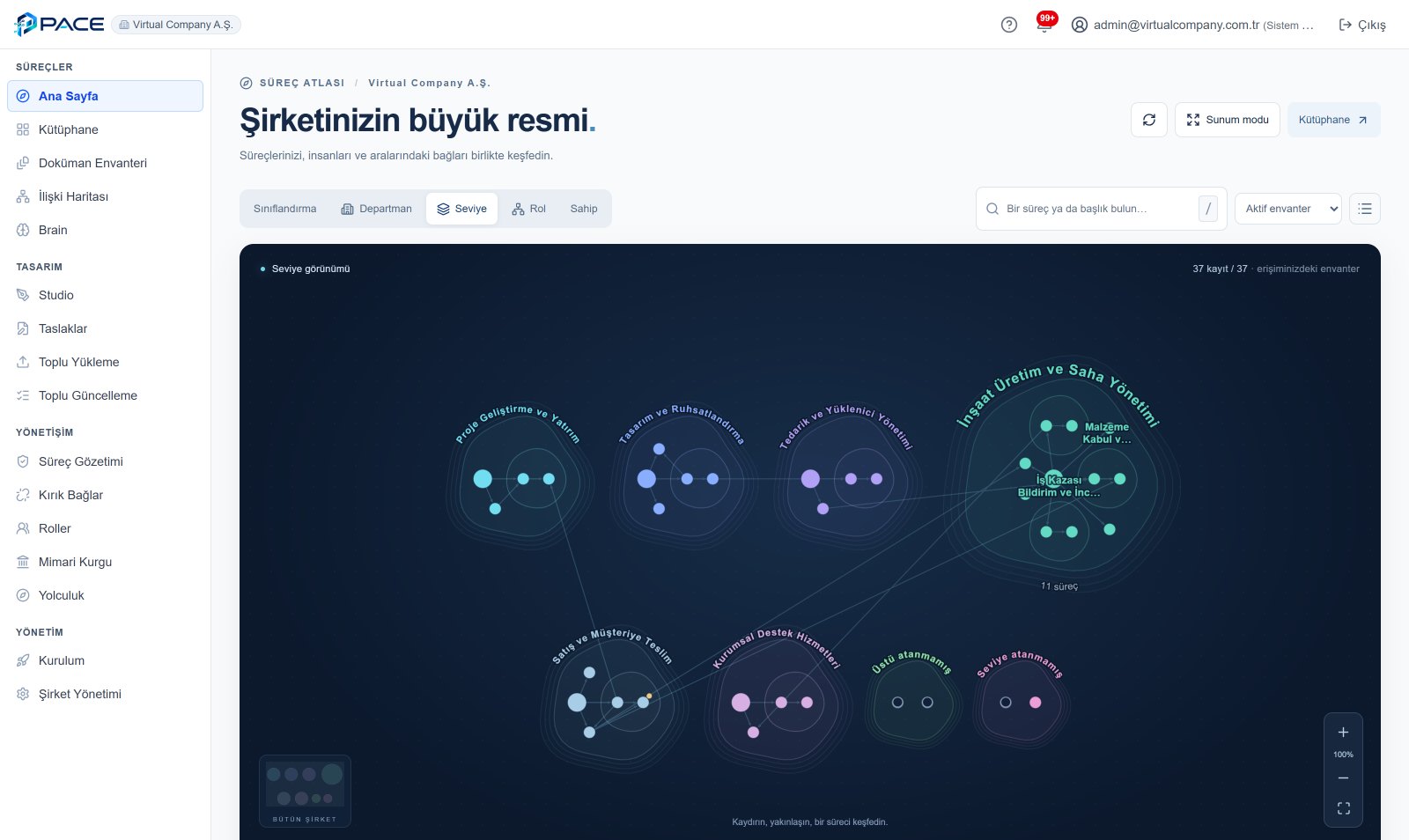
Every process in the company, grouped by family on one map. The same map regroups by classification, department, level, role or owner; processes not yet placed under a parent show as a separate island.
PACE · PRODUCT TOUR

Start with six screens that show how PACE works, then watch the walkthrough that follows one process from setup to publication.
01 / INTERFACE
Every process in the company, grouped by family on one map. The same map regroups by classification, department, level, role or owner; processes not yet placed under a parent show as a separate island.
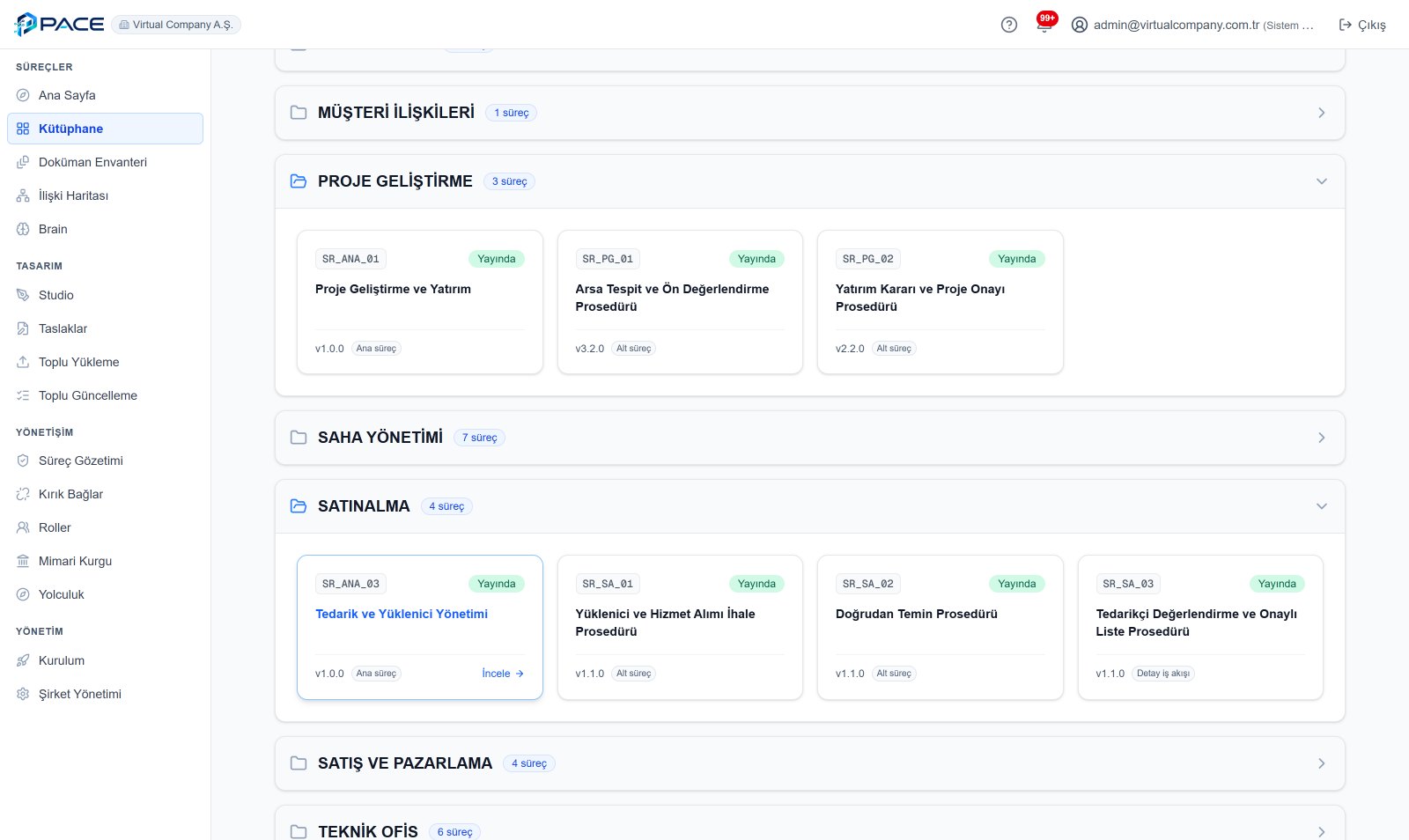
Published processes, grouped by department. Each card shows the process code, version, main or sub-process level and publishing status.
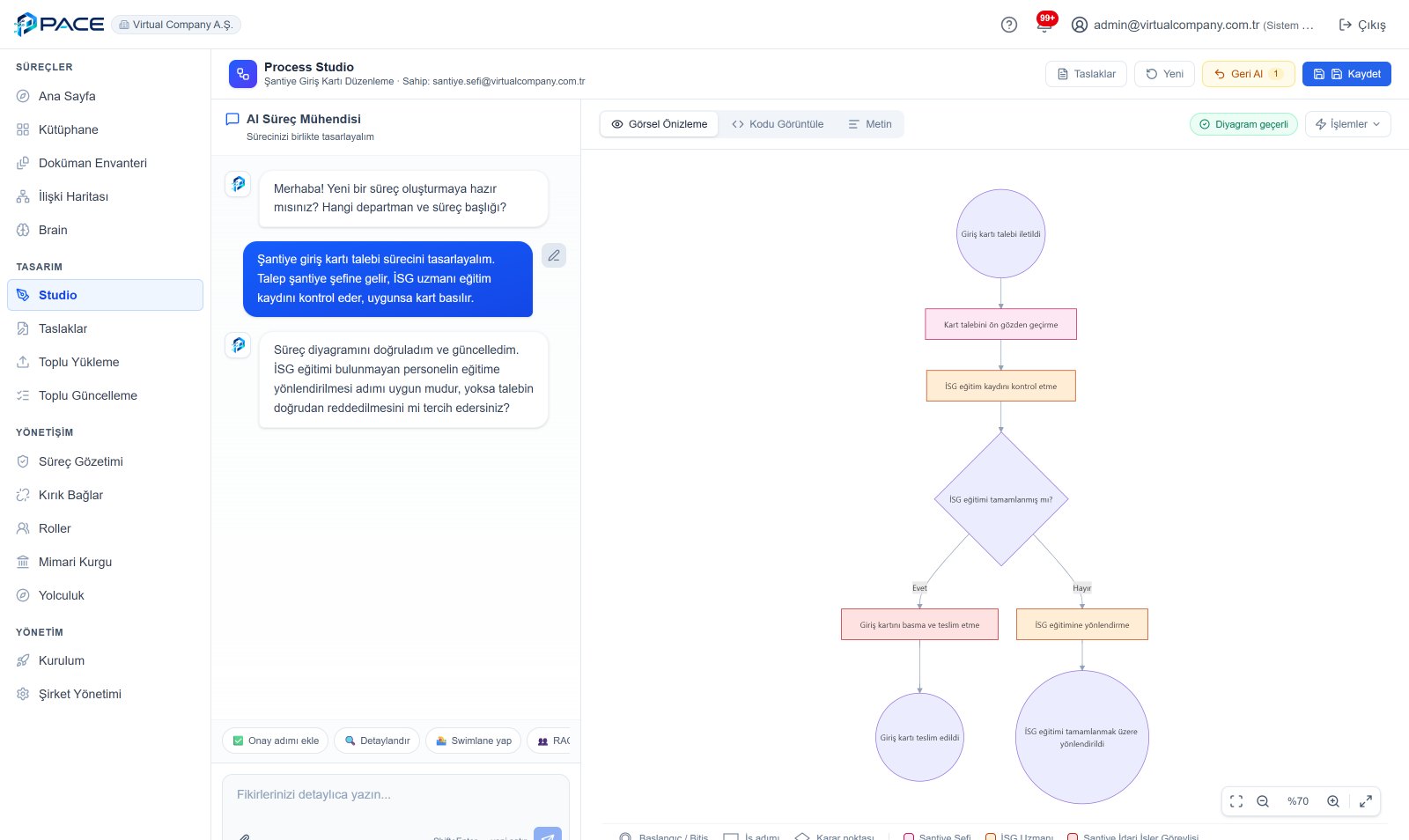
Describe the process and the flowchart takes shape beside you. Super Intelligence asks about the decision you left open; the screen shows whether the diagram is valid.
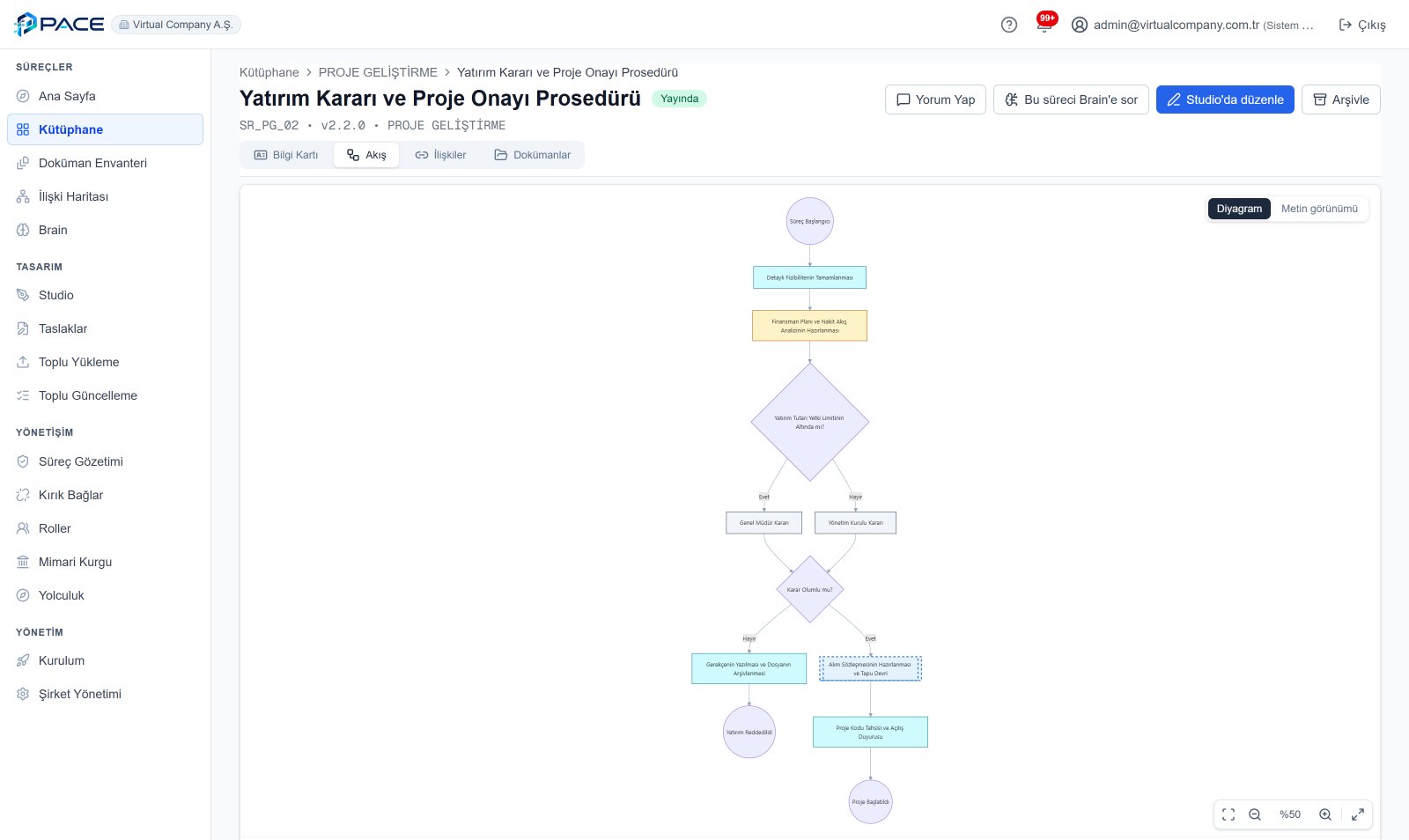
The approved flowchart: steps, decision points, links to sub-processes and role colours. The info card, relations and documents sit in their own tabs.
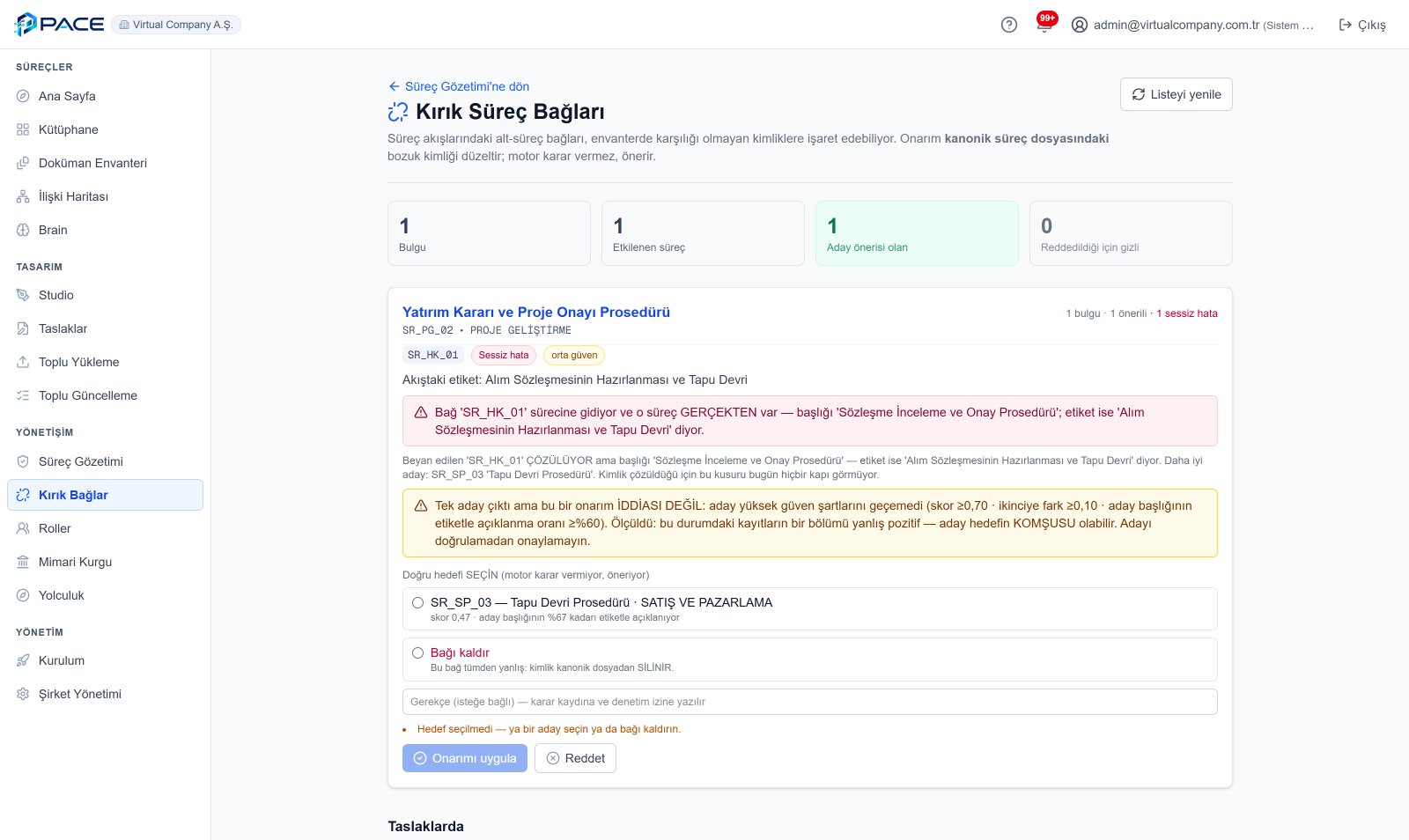
When a process points to the wrong process, PACE catches it and suggests a candidate. The engine does not decide: a person chooses the fix, and the decision goes into the audit trail.
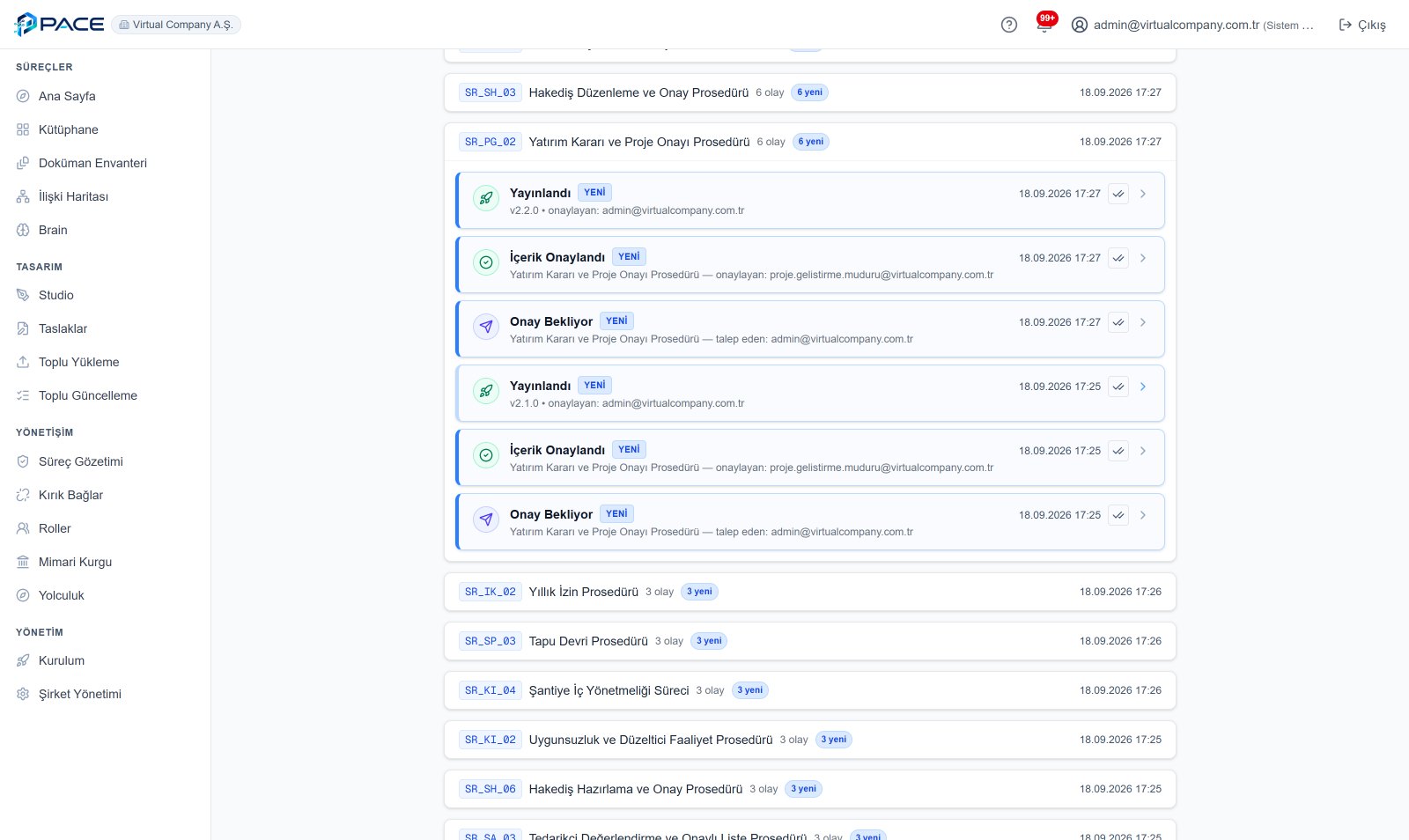
Every publication leaves a trail on one screen: sent for approval, content approved by the process owner, published. Who, when, which version.
Screens are from PACE's sample company (Virtual Company A.Ş.); all data is fictional. The product interface is in Turkish.
02 / WALKTHROUGH
5:21 · in Turkish, no narration
The interactive presentation is best viewed on a desktop or landscape screen. Keyboard: ← → pages · F full screen.